React project scaffold with redux and material-ui.
Best used for client side projects.
Feature
- hot reload
- redux
- material-ui
- html template
- mock server
- unified error center
- internationalization
- environments
Project structure
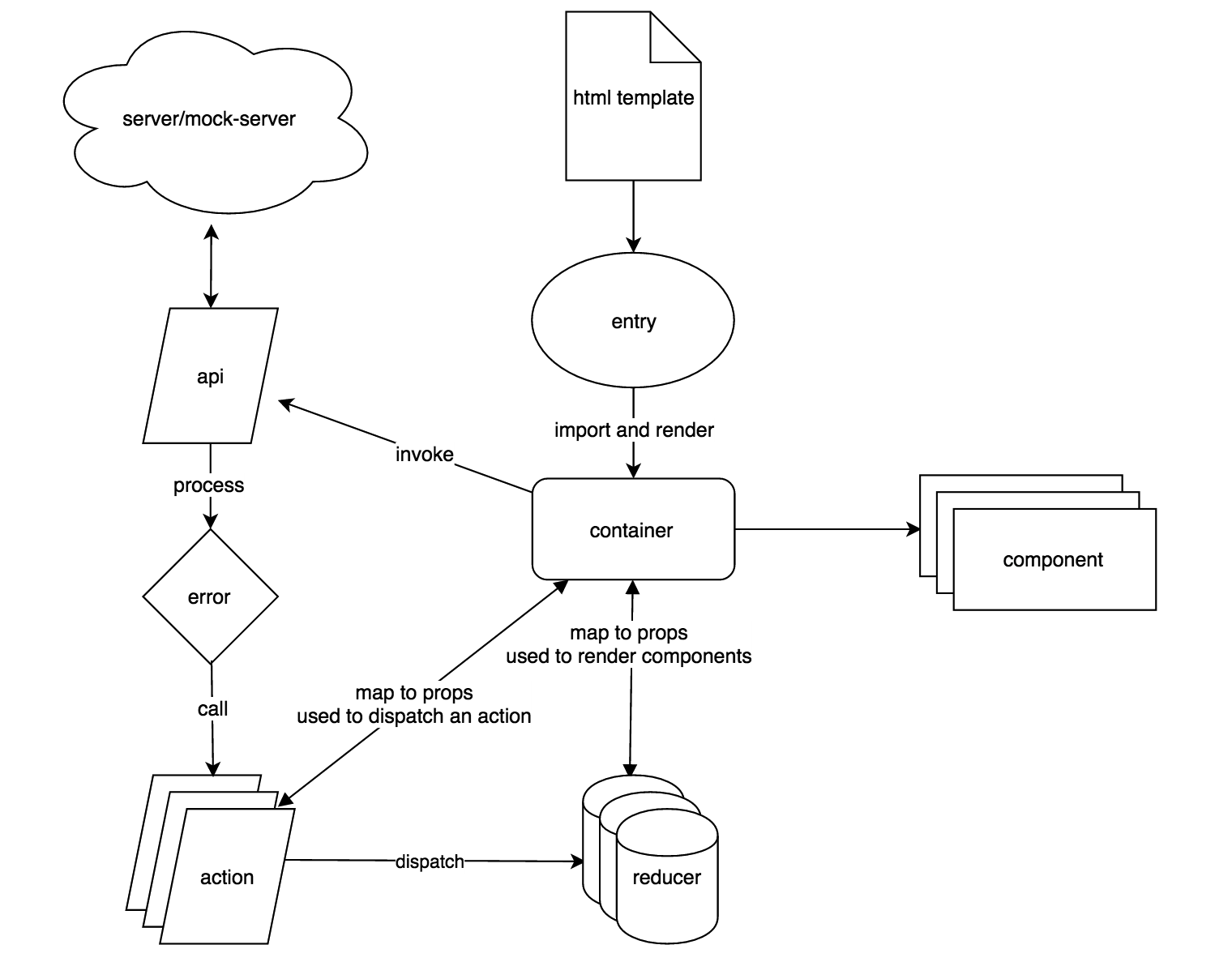
As we find out html are mostly same in react projects, we extract the same html into a template file which lays in html folder.
html-webpack-plugin is used to generate released html files, which load corresponding js files.
entry stores js main methods, we split main container to container because entry could not be hot-module-replaced.
entrys import containers, which is one to one correspondent. render method in entry provides all commonly used setups, such as redux store, provider, injectTapEventPlugin for material-ui, and custom styles.
container is the headquarters which imports all dummy components, passing through props to them. Also, container interacts with redux reducer and action.
We do not use async redux for ajax requests because ajax status is not that important for us to record. So, we invoke api in container, get response, and determine what action to call.
We store every string in i18n for better internationalization.
Built project files will be in the release folder. With build.log, you can see every build details. With stats.html, you can optimize your dependencies to make project smaller.
How to use
-
Clone project from GitHub.
-
Change directory into project, remove .git folder to make it out of my scaffold version control.
-
Run
npm installin the folder. -
Run
npm run devto open development server. Open the html page in browser. -
Write codes, wait for the browser to reload.
-
If you want to build release version of the project, just run
npm run build.
Feel free to submit any issue.